
Founded in Berkeley, CA.

SOC 2 Compliant.

Rated 4.9 out of 5
Founded in Berkeley, CA.
SOC 2 Compliant.
Rated 4.9 out of 5
Minutes Creator Program
Trial Video Tips & Tricks
Have any questions? Don't hesitate to message us or book a time to chat :)
Create simple videos from real conversations—
and get paid per post
Create simple videos from real conversations— and get paid per post
Create simple videos from real conversations—
and get paid per post
What is Minutes?
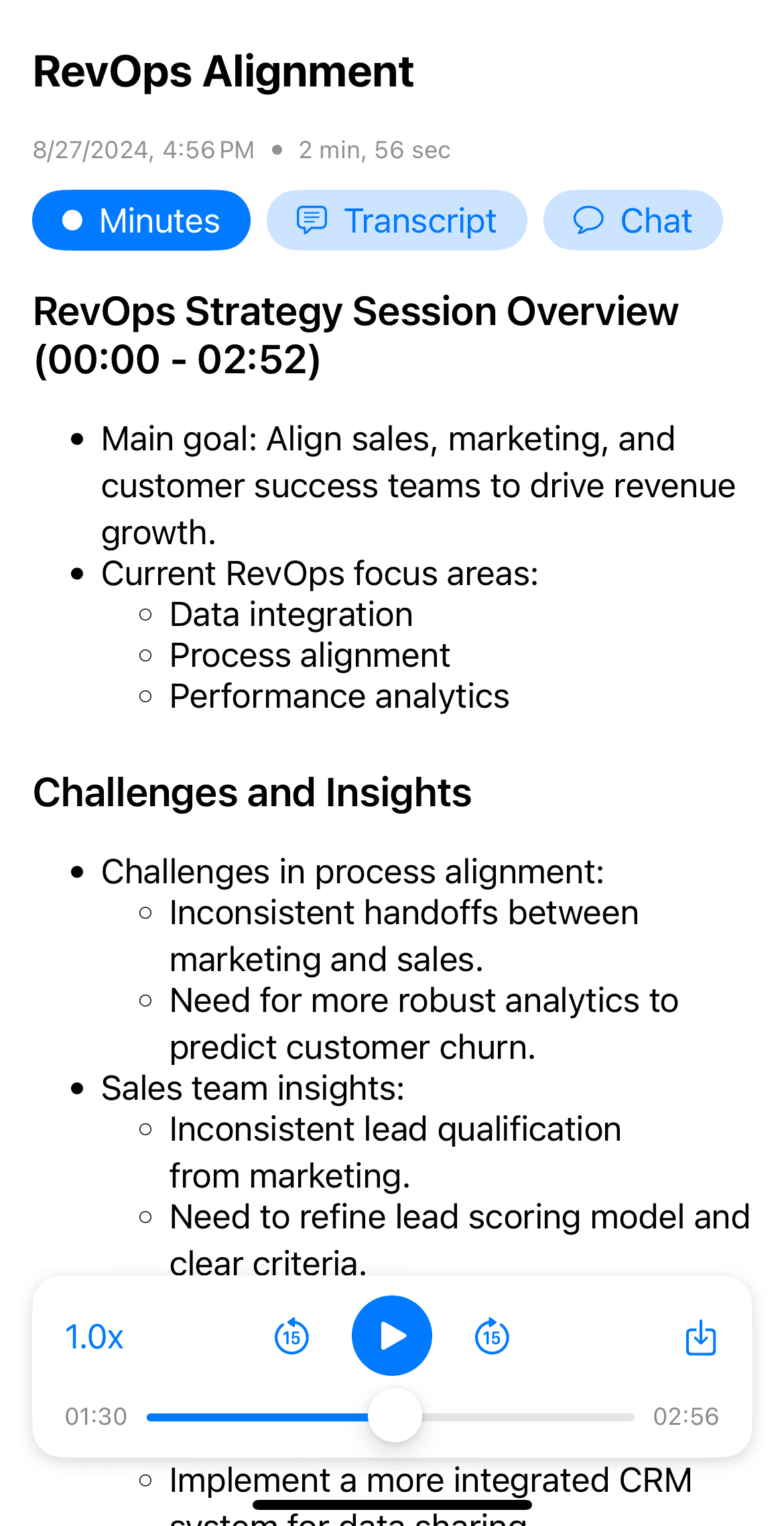
Minutes is an app that helps people record meetings and automatically generate summarized notes and transcripts.

Beautifully formatted notes
Instantly create headings and bullets of key points from your audio

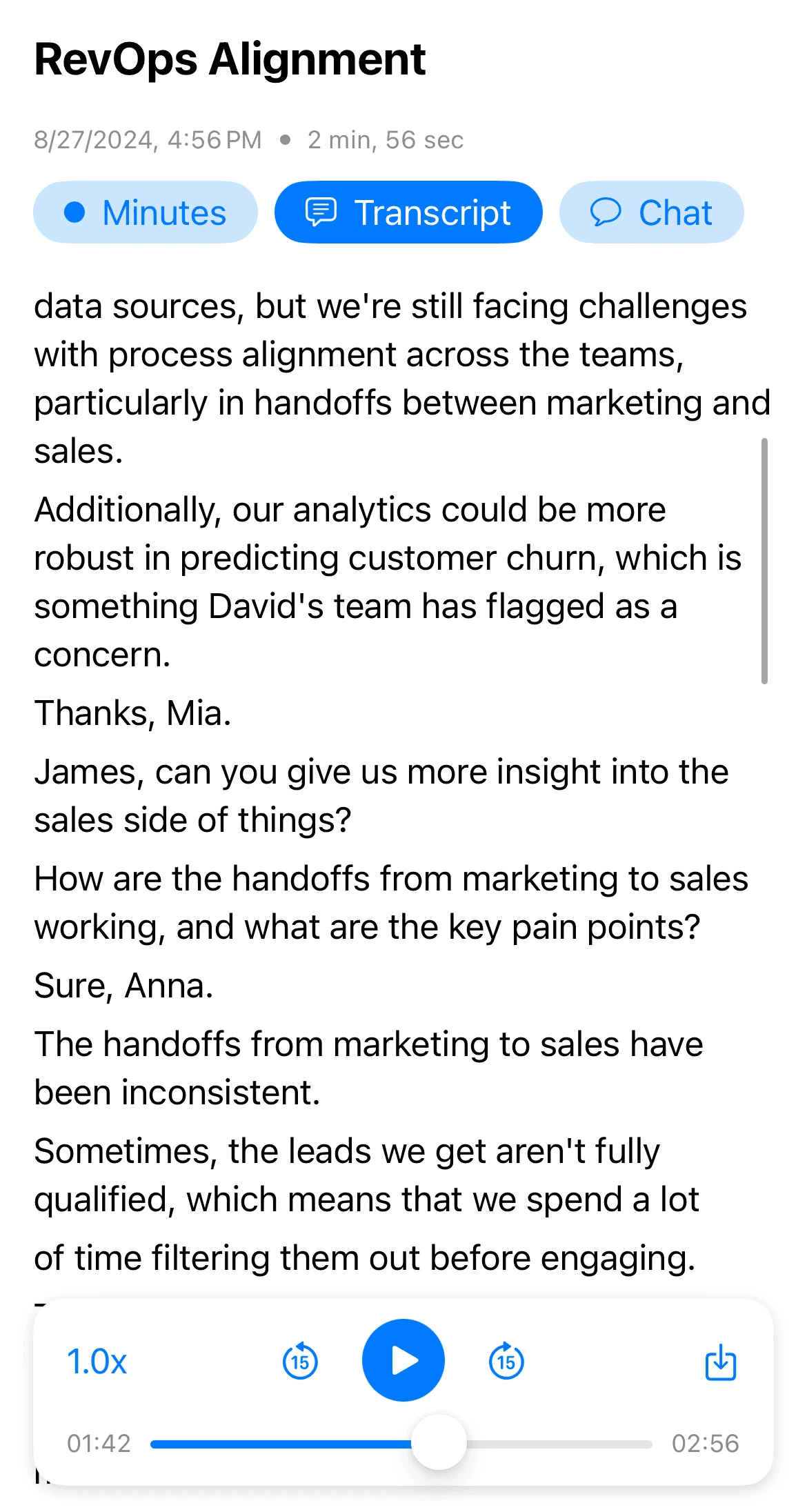
Transcribe & replay
Read your audio's transcription or scrub through your audio recording

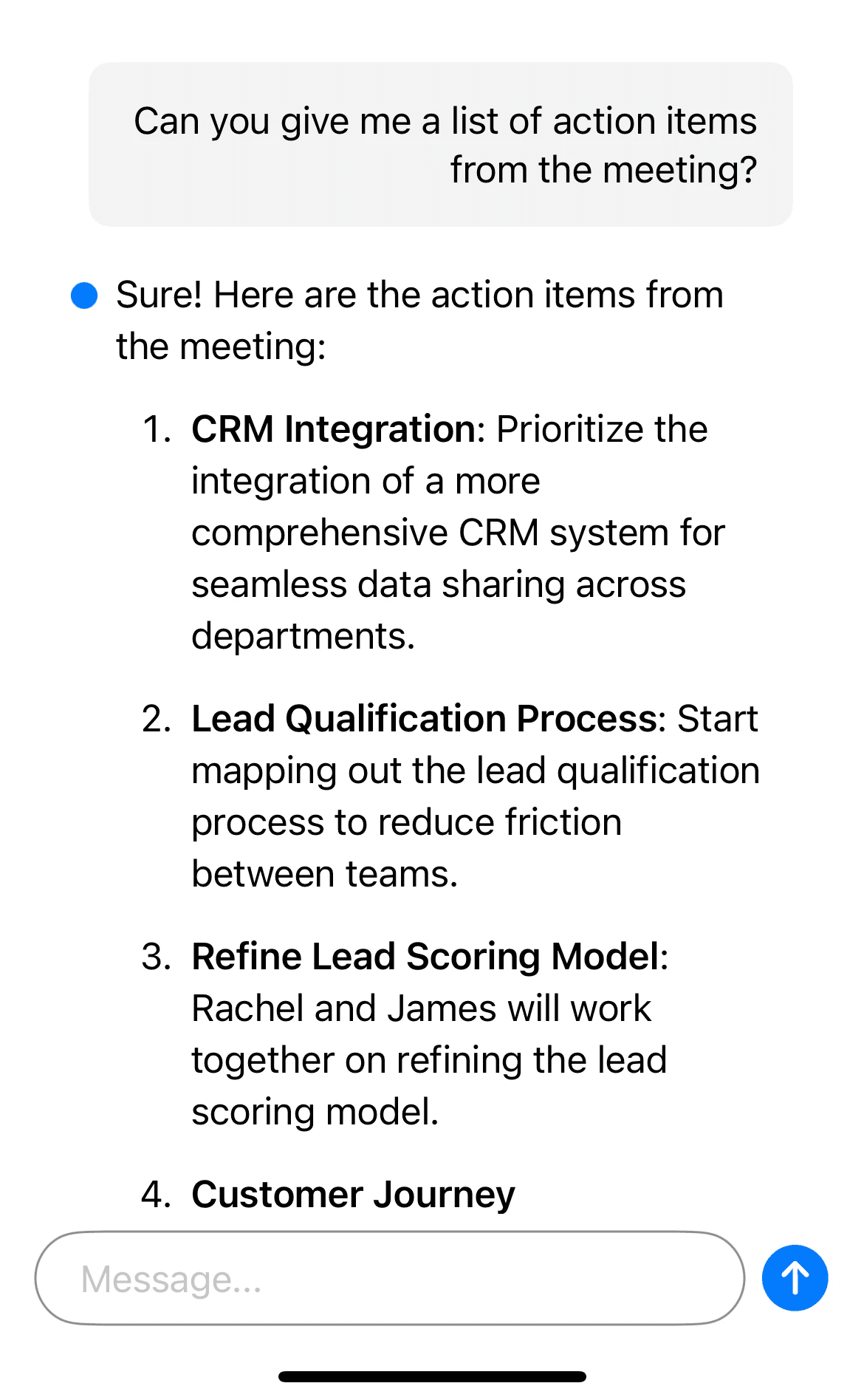
Chat with your audio
Extract key insights, list action items, ask questions, and more.

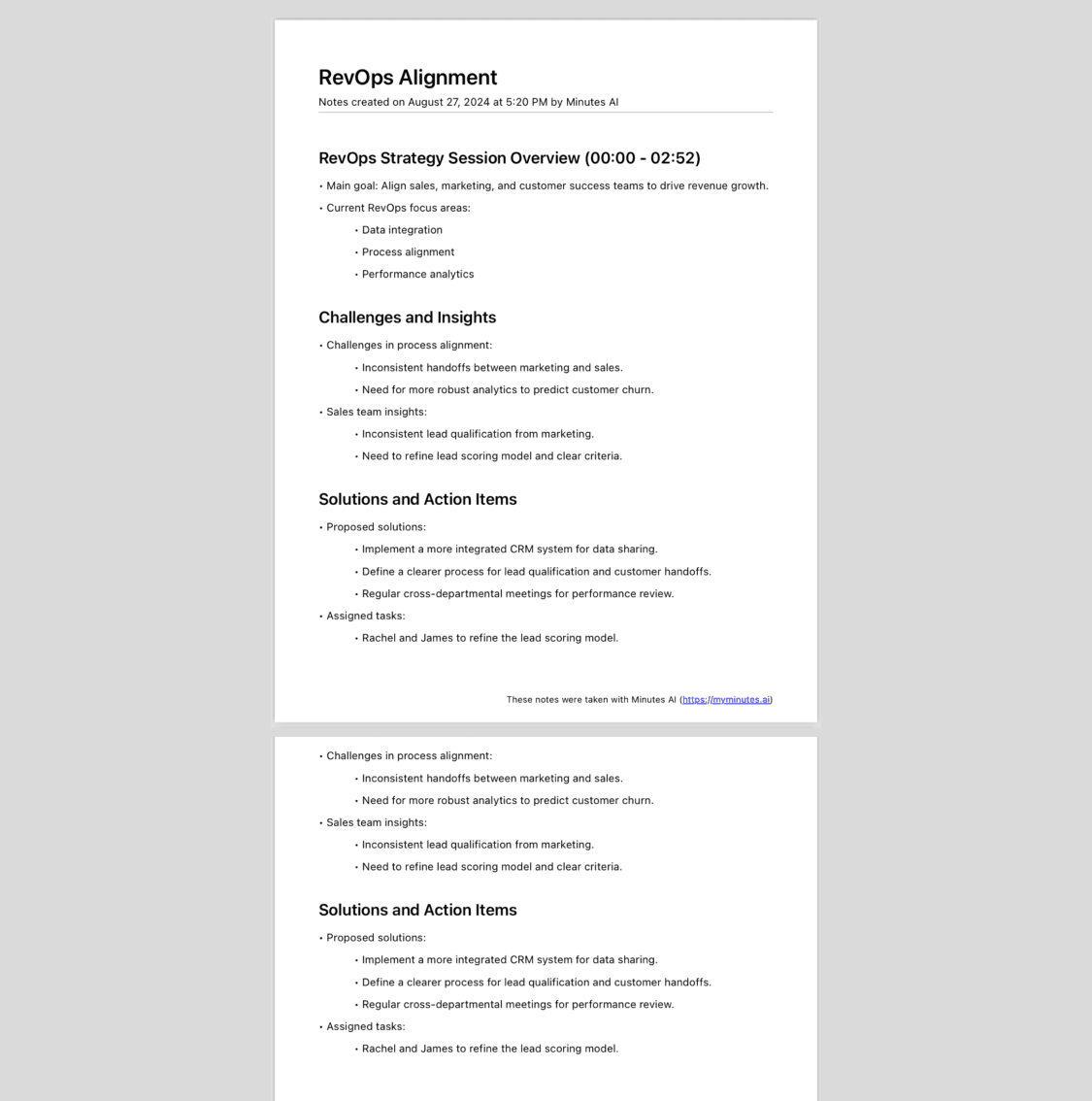
Export & share with a tap
Create and share minutes as formatted PDF's, emails, and texts.
EXAMPLE 1
Makela
Flipping camera back and forth every ~5 seconds makes the video look really authentic
Sounds like she's talking to her manager (or a real person)
Video quality, lighting, and framing are all really crisp
Holding the coffee cup looks very personable like she's having a real conversation
EXAMPLE 2
Cam
Meeting is present in the video so it looks really authentic
The app demo looks really clear—you can see the notes, the transcription, and you can see it next to her computer
Speaks authoritatively, commands attention
Why these videos work
These videos have tons of views—but why do they work?
Some other great examples to watch
Overall, we just want you to have fun with creating videos!
If you have any questions, please don't hesitate to contact us :) we'd love to help!

Kiley Casciano
Creator Success Manager



How to Talk About Minutes
Skip the sales pitch — people tune out “ads.”
Focus on what you actually do.
⚠️ Avoid Using This Language… ⚠️
“There’s no other app like Minutes AI”
“I love this app called Minutes AI”
“This is the best notetaker you’ll ever use”
“This is why you should always use Minutes AI to help you in meetings”
Why?
→ Vague language helps. Prompts viewers to ask for the app in the comments = more engagement
→ It sounds “too good to be true.”
→ When you overpromise results, it comes off as an ad
✅ Do This ✅
“When I have meetings, I like to pull this up on my laptop.”
“When I have meeting, I like to do this…”
“Look at this, check it out…”
”Something that’s helped me is pulling up my phone/laptop/ipad”
Why?
→ Vague language helps. Prompts viewers to ask for the app in the comments = more engagement
→ Also helpful to refer to the device you’re using as opposed to “I love using this app”
Minutes is marketed towards working professionals ages 24-55, NOT students
What is Minutes?
Minutes is an app that helps people record meetings and automatically generate summarized notes and transcripts.
We take care of our creators—with reliable pay, growth paths, and a team that’s in your corner
Beautifully formatted notes
Instantly create headings and bullets of key points from your audio
Transcribe & replay
Read your audio's transcription or scrub through your audio recording
Chat with your audio
Extract key insights, list action items, ask questions, and more.
Export & share with a tap
Create and share minutes as formatted PDF's, emails, and texts.
Beautifully formatted notes
Instantly create headings and bullets of key points from your audio
Transcribe & replay
Read your audio's transcription or scrub through your audio recording
Chat with your audio
Extract key insights, list action items, ask questions, and more.
Export & share with a tap
Create and share minutes as formatted PDF's, emails, and texts.
Beautifully formatted notes
Instantly create headings and bullets of key points from your audio
Transcribe & replay
Read your audio's transcription or scrub through your audio recording
Chat with your audio
Extract key insights, list action items, ask questions, and more.
Export & share with a tap
Create and share minutes as formatted PDF's, emails, and texts.
Minutes is a paid app but FREE for our creators of course
How to Talk About Minutes
Skip the sales pitch — people tune out “ads.”
Focus on what you actually do.
How to Talk About Minutes
Skip the sales pitch — people tune out “ads.”
Focus on what you actually do.
Why?
→ It sounds “too good to be true.”
→ When you overpromise results, it comes off as an ad
⚠️ Avoid Using This Language… ⚠️
⚠️ Avoid Using This Language… ⚠️
“There’s no other app like Minutes AI”
“I love this app called Minutes AI”
“This is the best notetaker you’ll ever use”
“This is why you should always use Minutes AI to help you in meetings”
✅ Do This ✅
✅ Do This ✅
“When I have meetings, I like to pull this up on my laptop.”
“When I have meeting, I like to do this…”
“Look at this, check it out…”
”Something that’s helped me is pulling up my phone/laptop/ipad”
Why?
→ Vague language helps. Prompts viewers to ask for the app in the comments = more engagement
→ Also helpful to refer to the device you’re using as opposed to “I love using this app”
Minutes is marketed towards working professionals ages 24-55, NOT students
Minutes is marketed towards working professionals ages 24-55, NOT students
Why these videos work
These videos have tons of views—but why do they work?
EXAMPLE 1
Makela
Flipping camera back and forth every ~5 seconds makes the video look really authentic
Sounds like she's talking to her manager (or a real person)
Video quality, lighting, and framing are all really crisp
Holding the coffee cup looks very personable like she's having a real conversation
EXAMPLE 1
Cam
Meeting is present in the video so it looks really authentic
The app demo looks really clear—you can see the notes, the transcription, and you can see it next to her computer
Speaks authoritatively, commands attention
EXAMPLE 2
Cam
Meeting is present in the video so it looks really authentic
The app demo looks really clear—you can see the notes, the transcription, and you can see it next to her computer
Speaks authoritatively, commands attention
Why these videos work
These videos have tons of views—but why do they work?
Some other great examples to watch
Some other great examples to watch
Overall, we just want you to have fun with creating videos!
If you have any questions, please don't hesitate to contact us :) we'd love to help!
Kiley Casciano
Creator Success Manager
Kiley Casciano
Creator Success Manager
Download Minutes AI
© Copyright 2025 by Minutes AI, LLC
Download Minutes AI
© Copyright 2025 by Minutes AI, LLC
Download Minutes AI
© Copyright 2025 by Minutes AI, LLC
Download Minutes AI
© Copyright 2025 by Minutes AI, LLC